· VizSeek · Blog · 6 min read
Visual Search for Manufacturing: Find the Part, Drawing, or Record You Need Faster
Visual search helps manufacturing teams start with a part, drawing, image, or sketch and find related files, records, and history faster.

Manufacturing teams rarely start with perfect information.
Sometimes an engineer has a part photo but not the part number. An estimator has a customer drawing but does not know whether the company has quoted something similar before. A quality team has an image of a defect but needs to find prior examples, inspection records, or related documentation. A technician may have a physical component in hand but no clear file name, supplier record, or drawing reference.
In real manufacturing workflows, people often start with what they can see.
That is where visual search becomes valuable.
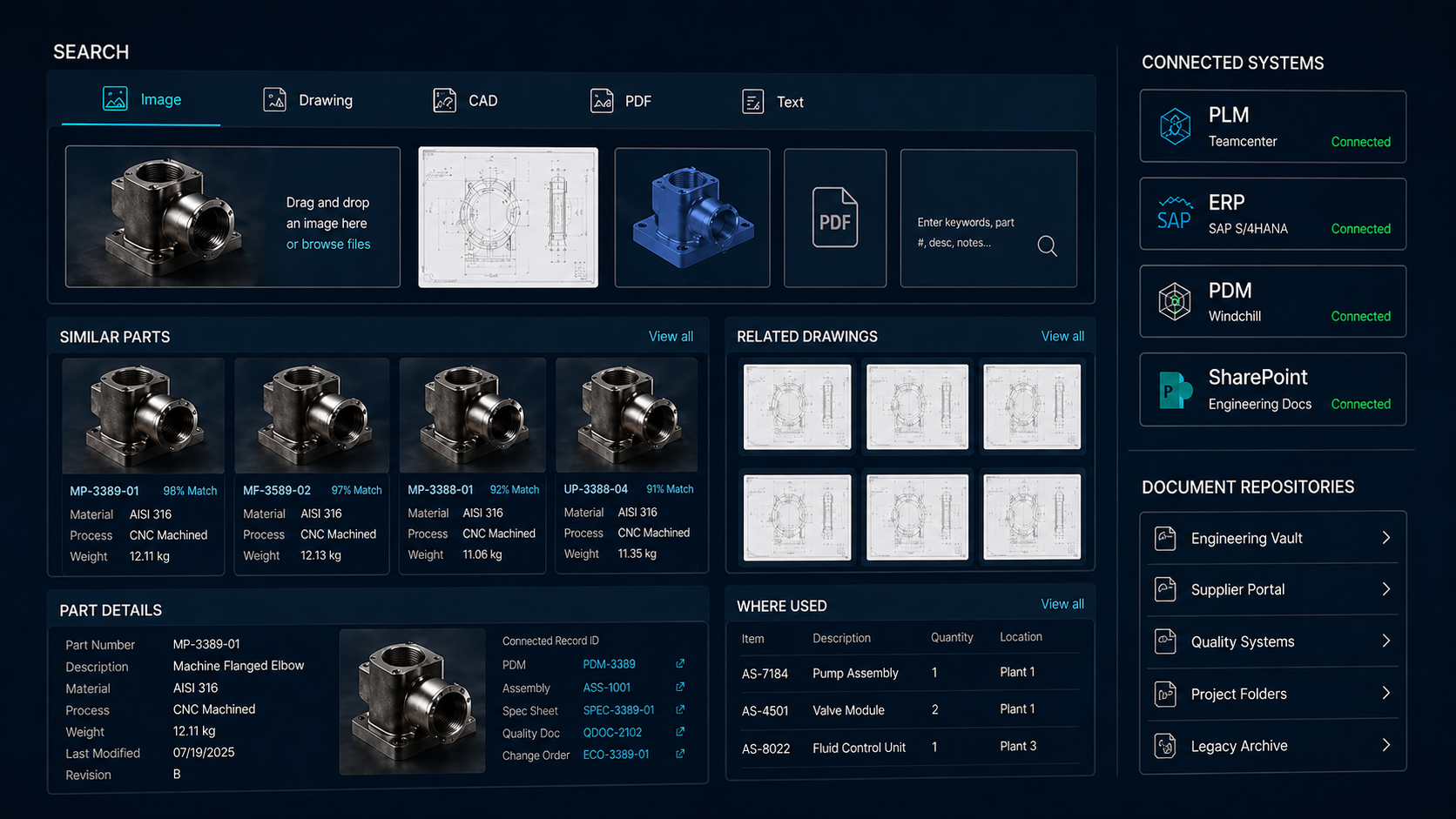
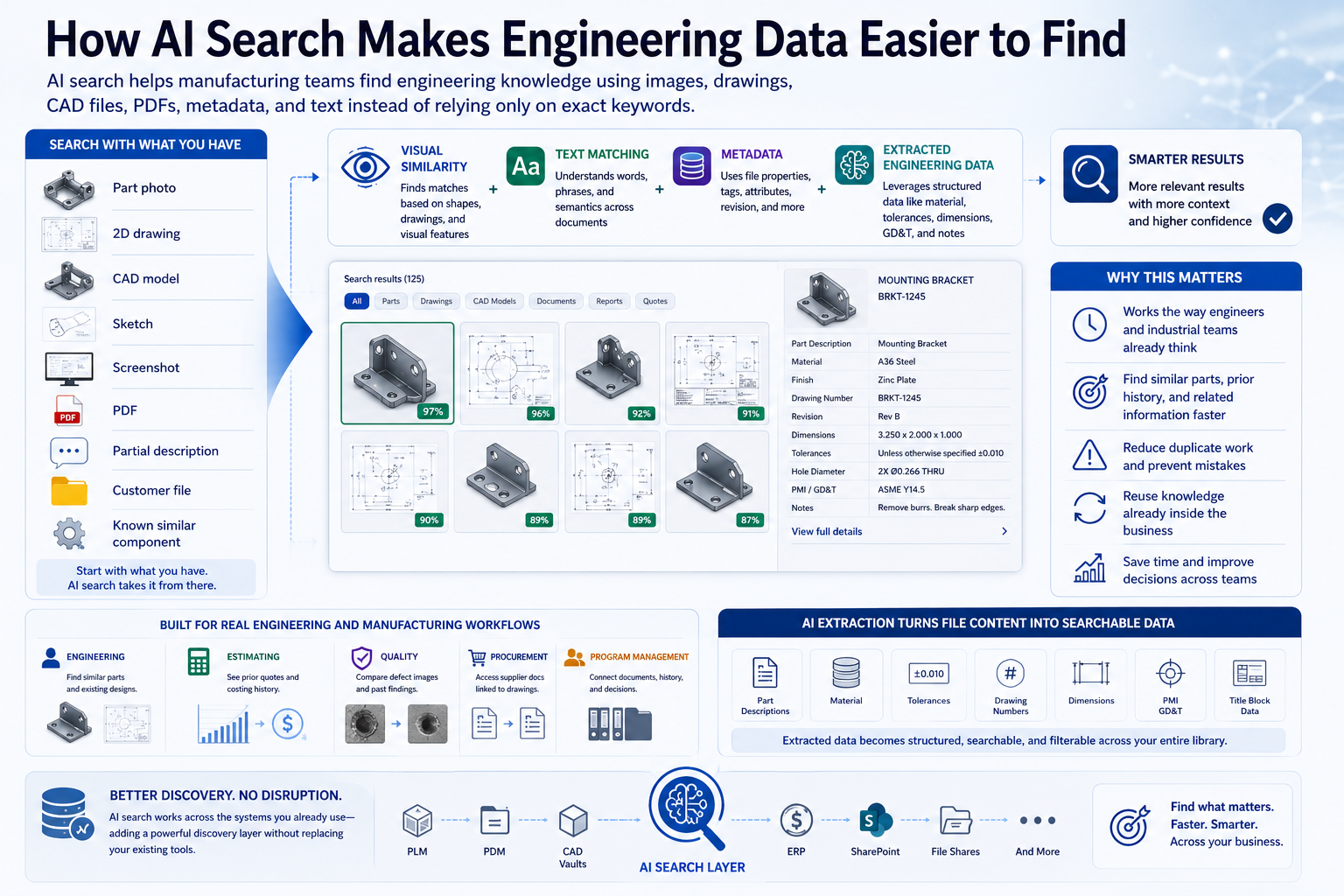
Visual search for manufacturing allows teams to search using images, shapes, sketches, drawings, CAD files, or part geometry instead of relying only on keywords, file names, or part numbers. It gives industrial teams a faster way to connect visual information to the files, records, and history behind it.
If you want to go deeper, you can also explore:
- Why keyword search falls short in manufacturing
- Visual search use cases in engineering, quoting, and quality
- What to look for in a manufacturing visual search platform
- The business value of visual search in manufacturing
Why Keyword Search Is Not Enough
Traditional search works well when users know exactly what to type. But manufacturing data is often inconsistent, scattered, and difficult to describe with a single keyword.
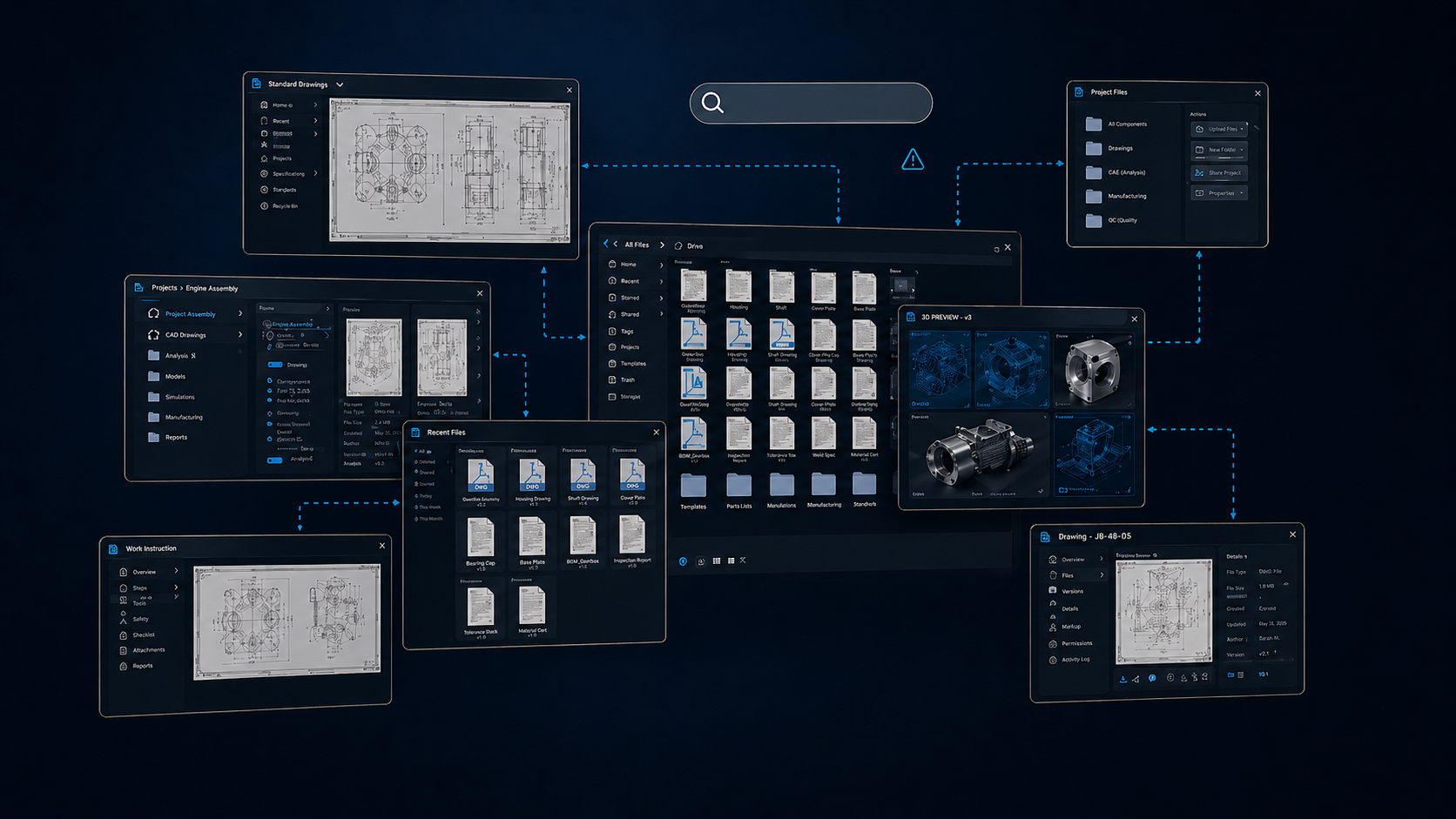
The same component may be called a bracket, mount, plate, housing, adapter, or fixture depending on the department, supplier, customer, or project. Files may be stored in PLM, ERP, PDM, SharePoint, network folders, CAD vaults, or legacy systems. Older drawings may be PDFs or scanned documents with limited searchable metadata.
Even when companies have good systems in place, finding the right information can still take too long.
A user may not know:
- the part number
- the exact file name
- the original project
- the supplier
- the customer
- the correct terminology
- where the file was stored
- whether a similar part already exists
But they may have something better: an image, drawing, sketch, or part.
Visual search lets them start there.
Start with What You Can See
Visual search changes the search experience from “What should I type?” to “What does this look like?”
A user can begin with a part photo, a drawing, a CAD model, a sketch, or a screenshot. The system then compares the visual characteristics of that input against indexed files and records to find similar or related items.
For manufacturing teams, this can help answer practical questions quickly:
- Have we made this before?
- Do we already have a similar drawing?
- Is there a related CAD file?
- Was this part quoted in the past?
- Are there inspection reports or material records?
- Can we reuse an existing design instead of creating a new one?
This makes search more useful because it matches the way engineering and industrial teams actually work.
Finding More Than Similar Images
In manufacturing, visual search should not stop at finding similar-looking pictures. The real value comes from connecting the visual result to useful business and engineering context.
A strong visual search workflow can help users find:
- related part images
- similar CAD models
- 2D engineering drawings
- PDFs and scanned documents
- title block information
- material records
- inspection reports
- prior job history
- supplier documentation
- quote history
- work instructions
- quality records
This is what turns visual search from a simple image-matching tool into an industrial workflow tool.
The user starts with what they can see, then follows the connection to what the company knows.
Where Visual Search Helps
Engineering
Engineers can use visual search to find existing designs, similar parts, and related drawings before creating something new. This supports design reuse, reduces duplicate work, and helps teams make better use of approved components.
Quoting
Estimators can search customer drawings or part images to find prior quotes, similar jobs, manufacturing history, and related documentation. This can help speed up RFQ review and improve quoting consistency.
Quality
Quality teams can compare visible defects or inspection images against prior examples, related drawings, and historical records. This helps teams investigate problems faster and avoid starting from scratch.
Procurement
Buyers can use a part image or drawing to locate supplier records, material documents, alternate parts, or purchasing history, even when naming conventions are inconsistent.
Operations
Technicians and shop-floor teams can search from a physical part, photo, or drawing to find manuals, replacement information, work instructions, or related records.
Why This Matters for Manufacturers
Manufacturers already have valuable data. The problem is that much of it is hard to access at the moment it is needed.
Engineering knowledge is often spread across systems and folders. Drawings may be disconnected from quotes. CAD files may be separated from inspection records. Quality history may not be easy to locate from the part or defect image. Supplier records may not be connected to the drawing someone is reviewing.
Visual search helps bridge those gaps.
Instead of forcing users to know the exact system, file name, or part number, it gives them another way in. That matters because faster discovery can directly support better decisions.
Visual search can help manufacturers:
- reduce time spent searching
- improve part and drawing reuse
- reduce duplicate design work
- speed up quoting and estimating
- support faster quality investigations
- connect engineering data to business records
- make better use of existing PLM, ERP, PDM, and folder-based data
How VizSeek Helps
VizSeek helps industrial teams search by image, shape, sketch, drawing, and text to find similar parts and technical files across existing systems.
With VizSeek, teams can start with a visual input and connect it to related drawings, images, CAD files, records, metadata, and prior history. This allows users to search beyond keywords and part numbers while still working with the systems and data they already use.
VizSeek can support manufacturing workflows where information lives across PLM, ERP, PDM, CAD vaults, SharePoint, document repositories, network folders, and other data sources. It can also help with AI-powered data extraction from technical documents, making drawings and files easier to search, filter, and reuse.
The result is a more practical search experience for industrial teams.
They can find the part, drawing, or record they need faster.
A Better Way to Search Manufacturing Data
Manufacturing data is visual, technical, and often scattered. Traditional keyword search alone cannot solve every discovery problem.
Visual search gives teams a more natural starting point.
When someone has a part, image, sketch, drawing, or CAD file, they should be able to use that as the search query. From there, they should be able to find related files, similar parts, prior jobs, documents, and records without wasting time digging through disconnected systems.
For manufacturers looking to apply AI in a practical way, visual search is one of the clearest places to start.