
Visual similarity
part geometry
Compare form, mounting features, and worn geometry to known replacement parts.
MRO
Identifies parts from photos or drawings and connects them to manuals, replacement records, and related documents.
MRO Search Workspace
Start from a failed or unknown part, then connect it to comparable replacements, manuals, and service context
Failed part input
service event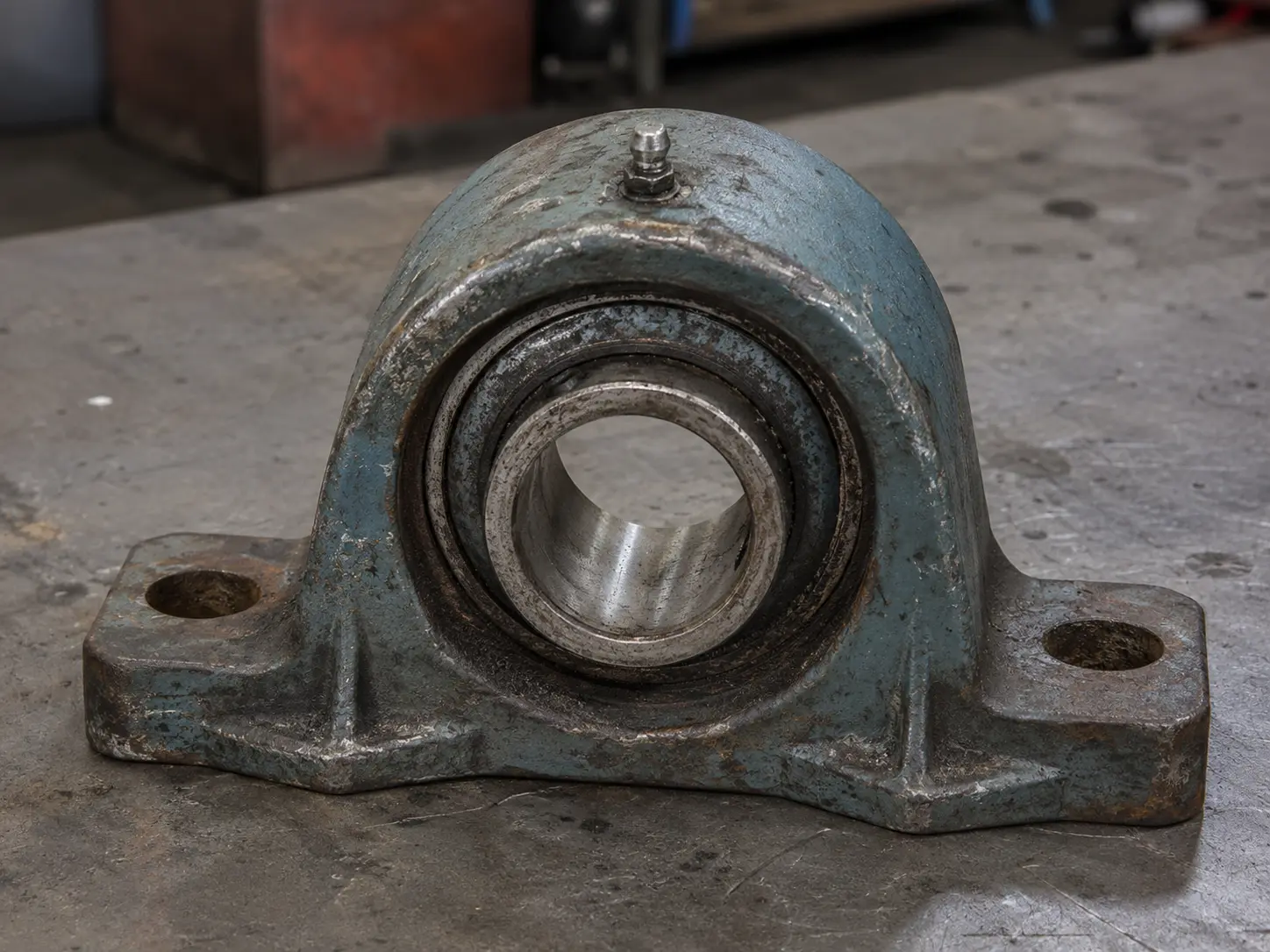
Unknown part
Phone photo + worn geometry + asset tag notes + machine location
Search mode
Image to replacement part
Primary goal
Restore service faster
Maintenance signals
used to rank replacement pathsVisual similarity
part geometry
Compare form, mounting features, and worn geometry to known replacement parts.
Service metadata
asset context
Use machine tags, service notes, and equipment context to support part identification.
Linked documents
manuals & drawings
Surface drawings, manuals, and parts lists that support the replacement decision.
Prior repairs
service memory
Keep results grounded in previous repair choices, replacements, and downtime history.
Replacement-ready matches
ranked by maintenance fitBRG-4402 Pillow Block Housing
Closest replacement match with linked equipment notes, spare-part records, and service documentation.
ALT-4402 Service Variant
Alternate compatible option with known vendor stock and similar fit for emergency replacement.
Linked service package
Manual sections, parts-list references, and prior repair notes surfaced with the match.
MRO outcome
faster path to replacementDowntime response
Failed part to match quickly
Maintenance teams can move from unknown part to replacement path faster.
Service continuity
Parts + manuals + repair context
Helps service teams restore equipment with more confidence and less guesswork.
MRO use case
In MRO workflows, time matters. VizSeek helps teams move from uncertainty to action faster by making part identification more visual and more practical.
Use a photo, drawing, or similar reference to identify what needs replacement.
Speed up part identification so teams can restore equipment faster.
Connect service teams to relevant replacement records and linked systems.
Search from visual clues instead of waiting for exact metadata.
Reduce delays in finding the right replacement path.
Make replacement and aftermarket search easier for technical teams.
Turn visual search into a practical MRO capability.
VizSeek can help maintenance teams find and replace parts more efficiently.