· VizSeek · Blog · 2 min read
Visual Search and Data Extraction for Engineering Files
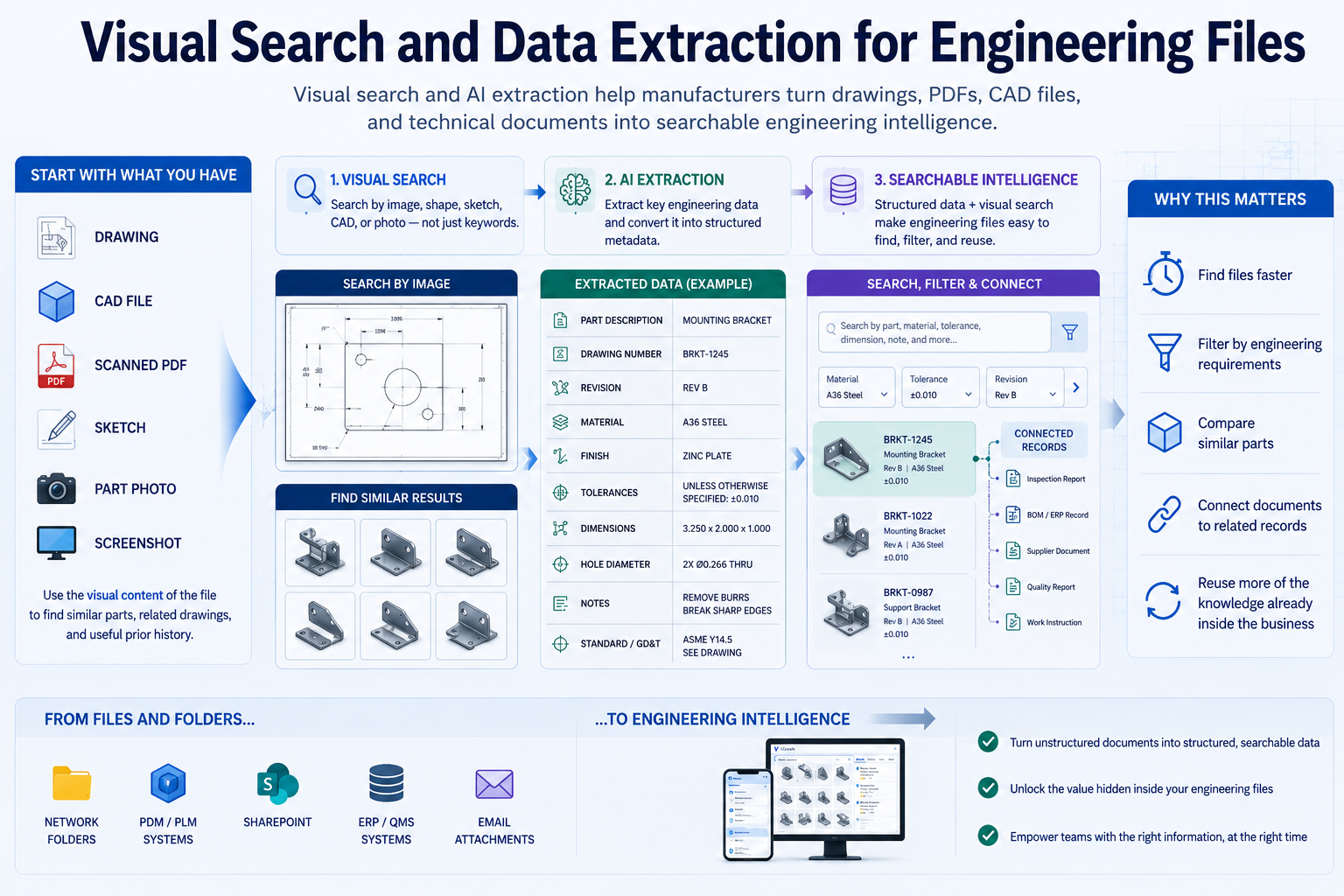
Visual search and AI extraction help manufacturers turn drawings, PDFs, CAD files, and technical documents into searchable engineering intelligence.
Engineering files contain far more value than their filenames alone.
Drawings, PDFs, CAD files, scanned prints, inspection reports, and technical documents often include the information teams actually need: material, tolerances, revision levels, dimensions, notes, and part descriptions.
The problem is that much of that information is trapped inside the document.
Visual Search Starts With the File Itself
Visual search gives users a way to begin with the engineering file or image they already have.
That might be:
- a drawing
- a CAD file
- a scanned PDF
- a sketch
- a part photo
- a screenshot
Instead of relying only on words, the system can use the visual content of that file to help find similar parts, related drawings, and useful prior history.
Extraction Makes Hidden Information Searchable
AI extraction adds another layer by turning document content into usable metadata.
That can include:
- part description
- material
- tolerances
- revision
- drawing number
- dimensions
- PMI
- GD&T
- notes
- tables
- specifications
Once that data is structured, users can search and filter against the information inside the files, not just the labels attached to them.
Why This Matters
This changes a static file library into something much more useful.
Teams can:
- find files faster
- filter by engineering requirements
- compare similar parts
- connect documents to related records
- reuse more of the knowledge already inside the business
That is one reason AI search makes engineering data easier to find. It is not only about better search terms. It is about making the underlying engineering data more accessible in the first place.
For the main overview, see The Hidden Cost of Lost Engineering Data.